You do not need a photographer for a great holiday card. The camera on your phone is more than sharp enough. What makes the difference is light, a little room around everybody, and sending us the right file. Here is how to get all three, in about ten minutes and twenty tries.
Get the light right first
Light matters more than anything else, more than the outfits and more than the background.
- Face a big window. Stand everybody a few feet from a window with the light falling on their faces, not behind them. Soft daylight from the side is the most flattering light there is, and it is free.
- Outside, find open shade. The shady side of a house or under a big tree gives even light with no squinting. The hour before sunset is even better: warm, low and kind to everyone.
- Avoid the middle of the day in full sun. It puts dark shadows under eyes and makes everyone squint.
- Turn the flash off. Indoors at night it flattens faces and turns eyes red. Turn on more lamps and get closer to them instead.
Set up the phone
- Wipe the lens. It lives in a pocket. A smudge makes the whole picture hazy, and you will not see it on the screen.
- Use the back camera, not the selfie camera. It is the better camera on almost every phone.
- Walk closer instead of zooming. Pinching to zoom throws away detail you will want when it prints at five by seven.
- Prop it up and use the timer. A stack of books or a cheap tripod and the ten-second timer gets the photographer into the picture, too.
- Take a burst. Hold the shutter, or take twenty. Somebody always blinks in the first few. That is normal.
Leave room around everybody
This is the one people miss. A card is printed a little larger than its finished size and then trimmed, so a thin strip at every edge is cut away. A photo framed tight to the tops of everyone’s heads loses them.
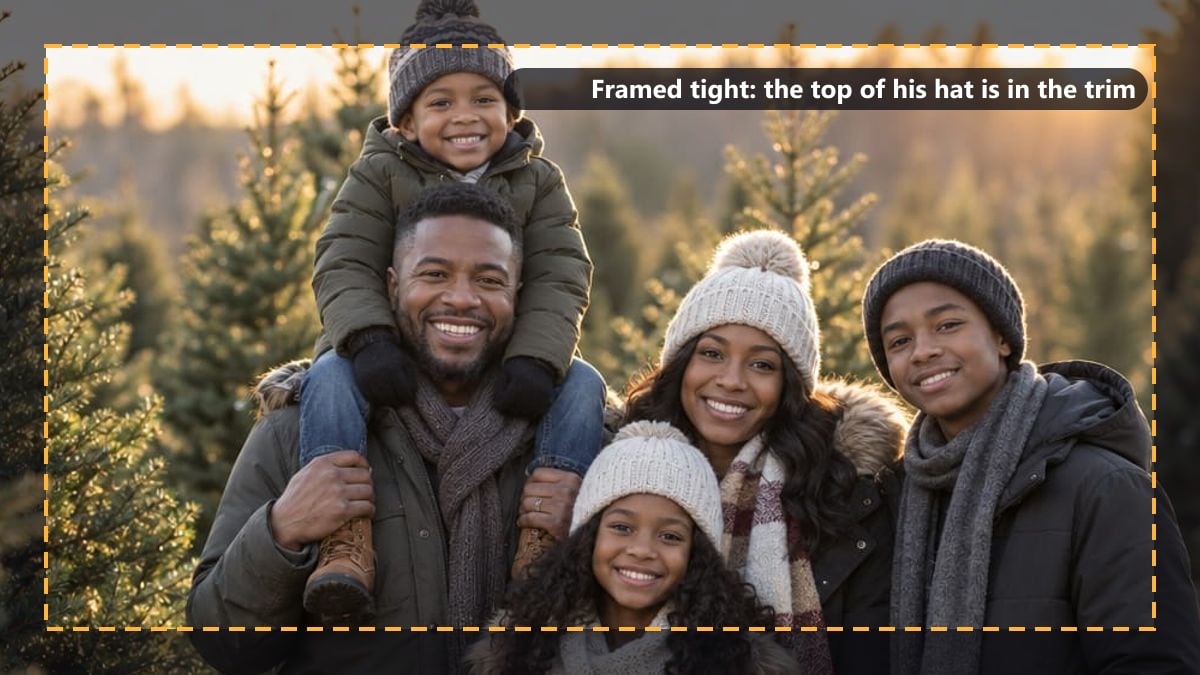
Framed tight: the trim takes the top of his hat.
Step back a pace or two and leave space above the heads and at both sides. You lose nothing, because we crop the photo to fit the card, and the trim takes only background.
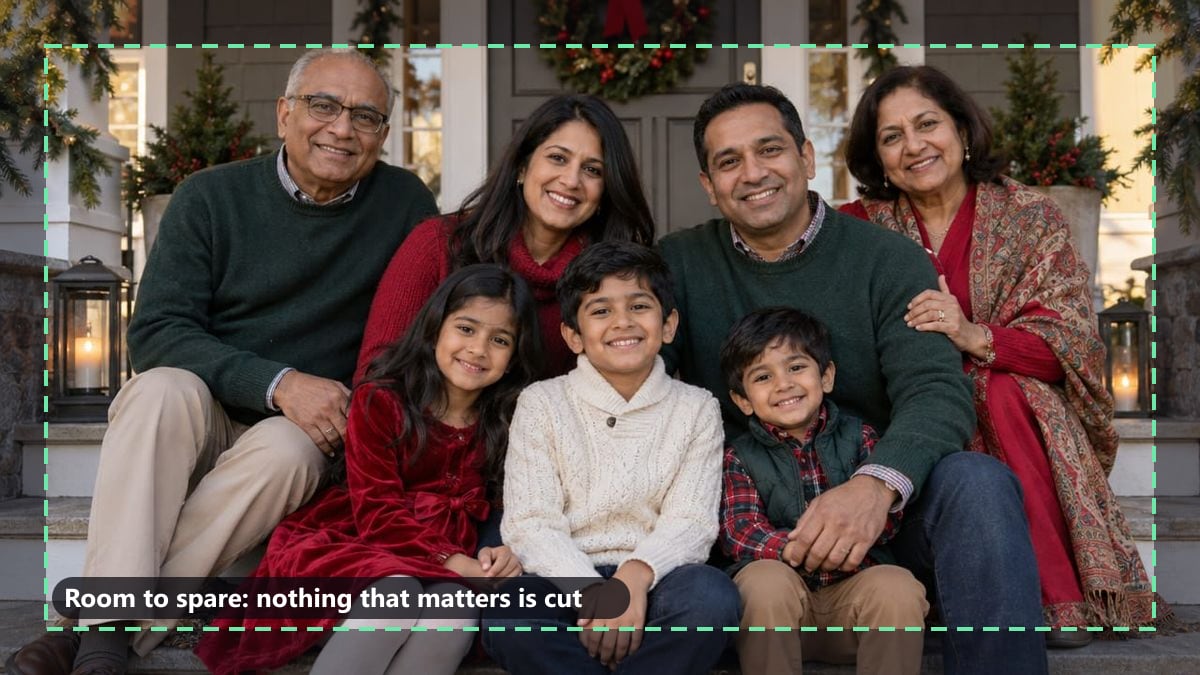
Room to spare: the trim only takes the porch.
Two more framing tips:
- Shoot it both ways. Some designs want a tall photo and some want a wide one. Take a few of each and you can pick any design you like.
- Leave room for the greeting. Several designs print the words over the photo, usually at the top or the bottom. A little sky or wall above everybody’s heads gives the words somewhere to sit without covering a face.
Getting real smiles
Posed smiles look posed. A few things that work better:
- Have someone behind the camera be silly. A ridiculous noise gets a real laugh from the kids, and the adults laugh at the kids.
- Keep it short. Ten minutes, not an hour. Everyone’s patience runs out at about the same time, and it shows on their faces.
- Hold a treat over the lens for the dog. Every dog looks at the camera when the camera has cheese.
- Take the candid ones too. The shot right after “okay, one more” is often the keeper.
Send us the original, not a screenshot
This is the mistake that turns a good photo into a blurry card. A screenshot of a photo, or a photo saved from a text message or a social media post, is a small copy of the original. It looks fine on a phone screen and prints soft.

Same photo, same size: the original on the left, a screenshot of it on the right.
A five by seven card needs a photo about 1,500 by 2,100 pixels to print sharp. Any phone camera from the last several years takes photos far bigger than that, so the original from your camera roll is plenty. A screenshot usually is not.
- Upload from your camera roll on the card page, not from a chat or a feed.
- If a relative took the best one, ask them to send it as a full-size file: a shared album, AirDrop, or email with “actual size” chosen, not a quick text.
- iPhone photos are fine as they are. You do not need to convert them.
When you add a photo on the card page, it tells you straight away whether it is sharp enough to print, a little soft, or likely to print blurry. If it says blurry, look for the original.
We fix the rest
Do the three things above and the hard part is done. When you order, a person here looks at every photo before anything prints: we straighten it, brighten the dark one, and fix the small things a phone screen hides. Tell us what you want in the notes box (“crop out the car”, “brighten the one on the left”), and you approve a proof before anything is printed.
Good light, a little room, and the original file. That is a card people keep on the fridge until February.